Mobile, Go, and Pro serve different operating needs. Online ordering and kitchen tools aren't reserved for Pro; choose the product that fits your business.
MenuSpace Mobile
Sell Food. Not Fight Software.
For food trucks, concession trailers, lunch wagons, pop-ups, market sellers, and temporary food stands.
Location-first food businesses
Made for the way you operate.
Let customers find you, browse your menu, and order ahead. Manage your location and incoming orders from one simple dashboard.
What you can do with MenuSpace Mobile
Customer-facing map and operator location updates
Shareable location, directions, status, and hours
Menu management and Today’s Special
Online pickup ordering
New, Working, and Ready kitchen workflow
Simple dashboard with online ordering on/off controls
MenuSpace Go
Your menu. Your orders. Your everyday tools.
For small restaurants, cafés, sandwich shops, food trucks, and independent food businesses.
Database-free restaurant management
Made for the way you operate.
Manage your menu, take online orders, use digital signage, and share your location with a complete restaurant platform that runs without a database.
Previously marketed as MenuSpace Legacy. Go remains a complete product in its own right; existing customers can use the customer portal for their accounts and downloads.
What you can do with MenuSpace Go
Database-free restaurant management
Menu management
Online ordering and kitchen order management
Digital signage
Location mapping
MenuSpace Pro
Run Your Restaurant. Understand Your Business.
For food businesses that want comprehensive management and a closer view of operational and financial performance.
Restaurant operations and deeper insight
Made for the way you operate.
Connect daily restaurant operations with promotions, advanced analytics, and Insight Engine reporting in our database-driven platform.
Previously presented as MenuSpace V3.0. Pro adds deeper business intelligence alongside day-to-day operations.
Insight Engine financial and operational reporting
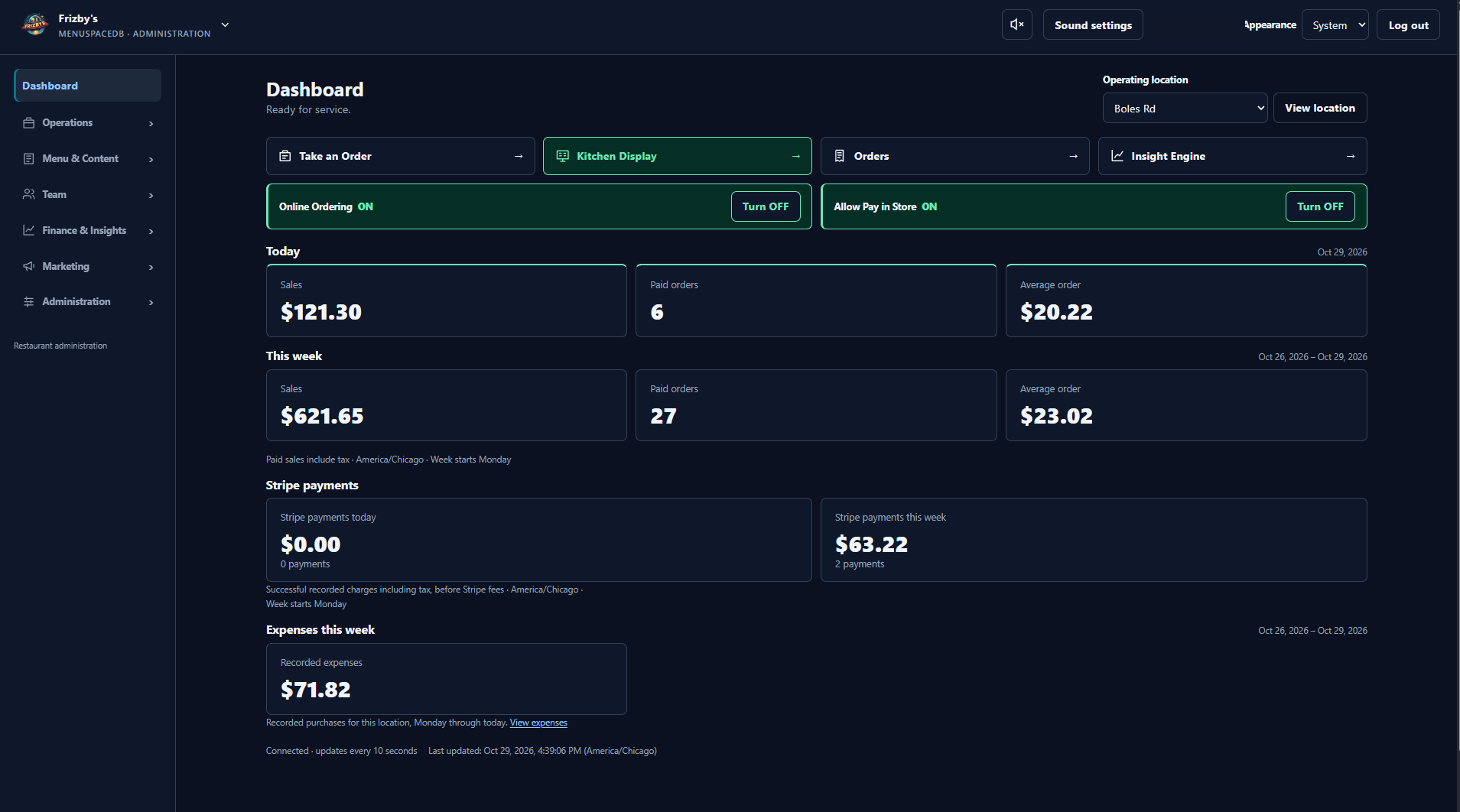
MenuSpace Pro · Dashboard & Insight Engine
See the work. Understand the numbers.
Pro brings advanced analytics and Insight Engine financial and operational reporting into your restaurant workflow. Use those insights to better understand your operation.
MenuSpace Pro · Restaurant Administration
Actual Pro dashboard, previously branded V3. Not a preview of Mobile or Go.
Ordering & payments
A direct path from menu to order.
All three products offer online ordering. The ordering tools and payment options should be considered for the product you choose.
Mobile
Order ahead for pickup.
Customers can browse your menu and place pickup orders. You can start or stop accepting online orders from the operator dashboard.
Go
Ordering for everyday service.
Online ordering sits alongside your menu, digital signage, and location tools in the database-free platform.
Pro
Ordering with a wider view.
Online ordering and Stripe payments connect with kitchen workflow and the wider restaurant management platform.
Kitchen order management
Keep the next order moving.
Kitchen tools serve different workflows across the family.
Mobile
New. Working. Ready.
A simple order workflow helps you manage pickup orders as they come in.
Go
Manage kitchen orders.
Kitchen order management is part of Go's everyday restaurant toolkit.
Pro
Kitchen display workflow.
Keep incoming orders visible within Pro's broader restaurant operations.
Digital signage · Go & Pro
Put your menu on your screens.
Go includes digital signage. Pro includes digital menu signage and media management, with MenuWall as part of its restaurant tools. Choose Go or Pro for in-store digital signage.
◫
Menus and promotional content.
Make your in-store screens part of the restaurant experience. Explore Go or Pro for the product that suits your operation.
Menu & media management
Keep what customers see current.
Every product includes menu management. Their other content tools reflect different operating needs.
Mobile
Menu and Today's Special.
Keep your mobile food business's menu and daily special in front of customers.
Go
Menu and signage.
Manage your menu alongside digital signage and location mapping.
Pro
Menu, media, and promotions.
Manage menu content, digital media, and promotions within the database-driven platform.
Your working day
Control that fits your operation.
Mobile keeps location updates, business status, hours, and pickup orders in a simple operator dashboard. Go brings database-free restaurant management together. Pro combines restaurant administration with deeper operational and financial reporting.